
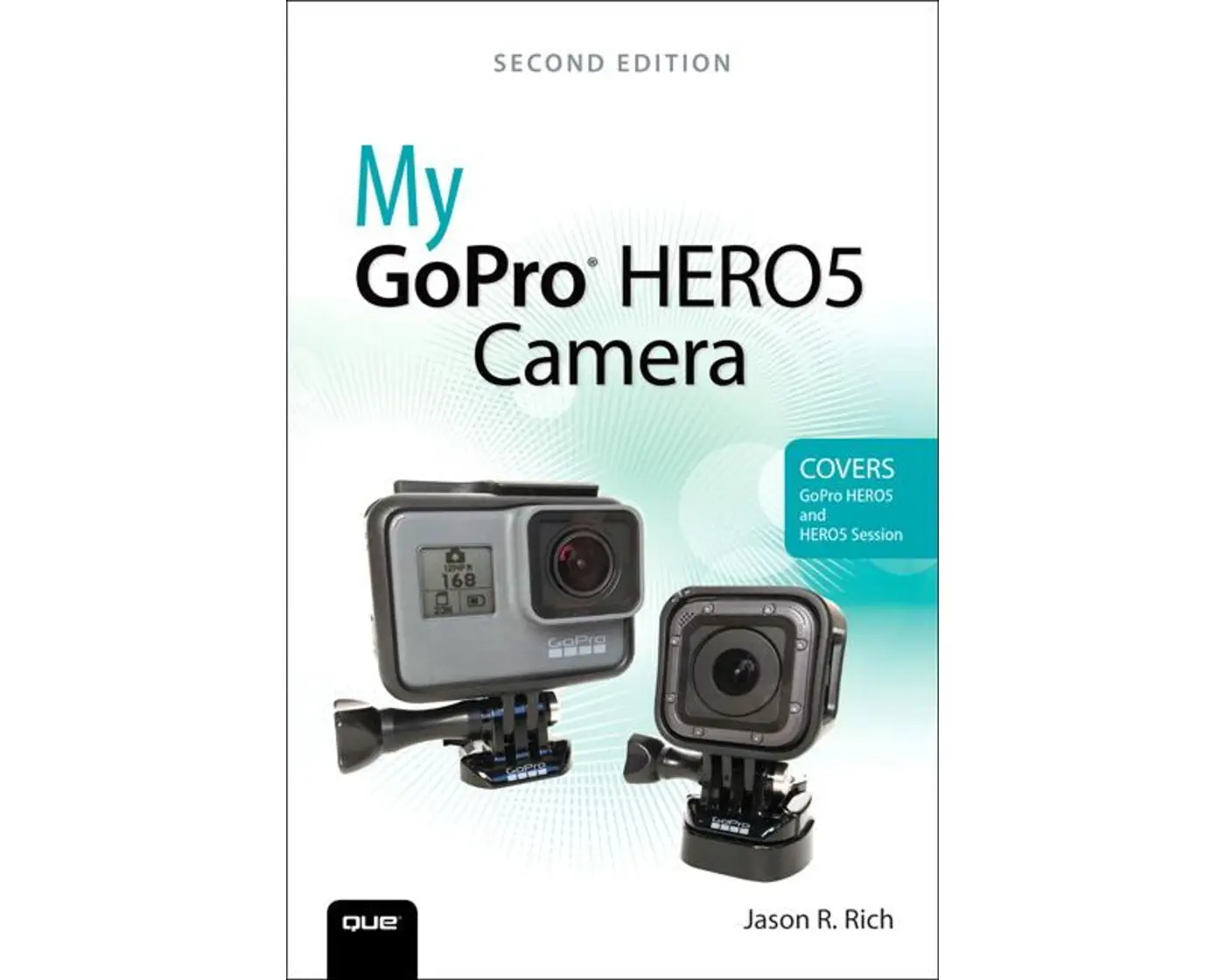
My GoPro HERO5 Camera
von Jason R Rich, Jason Rich
- Verlag
- Pearson
- Unsere Artikel-Nr.
- P35017334
Spezifikationen
| Sprache | Englisch |
|---|---|
| Autor | Jason R Rich, Jason Rich |
| Erscheinungsjahr | 2026 |
| Format | Buch (Softcover) |
| Anzahl Seiten | 432 |
Inhaltsverzeichnis
Chapter 1: Overview of the GoPro HERO Cameras 3
An Entirely New Shooting Experience .......................................................5
Understanding Digital Camera Resolution .............................................7
Choosing the Right GoPro Camera ................................................................9
The GoPro HERO Session ............................................................................12
The GoPro HERO5 Session .........................................................................14
The GoPro HERO5 Black ...............................................................................15
Getting the Best Results with a Mount....................................................18
Using GoPro Accessories .....................................................................................20
The GoPro Mobile Apps ...............................................................................20
The GoPro QUIK Desktop Software ...................................................22
Start Gathering Your GoPro Equipment ................................................23
Chapter 2: Getting Started with Your GoPro HERO5 Black 27
Ten Improvements to the HERO5 Black ..................................................27
What Comes with the HERO5 Black ..........................................................29
Choosing an FOV ........................................................30
Narrow ................................................................................31
Linear .................................................................................................31
Medium .....................................................................................32
Wide .....................................................................................................32
SuperView ..................................................................................................................32
Overview of the HERO5 Black’s Body ........................................................32
The Front of the Camera ...............................................................................33
The Back of the Camera ................................................................................35
The Right Side of the Camera ..................................................................36
The Left Side of the Camera ......................................................................37
The Top of the Camera ...................................................................................41
The Bottom of the Camera .........................................................................42
Exploring the LCD Status Screen ...................................................................42
Exploring the Camera’s Full-Color Touchscreen ..............................43
Setting Up the Camera for the First Time ..............................................46
Customizing Your HERO5 Black ..............................................................47
Using Voice Commands .......................................................................................51
Updating Your Camera’s Operating System ........................................53
Update Using the GoPro Capture Mobile App .........................53
Update Using the QUIK Desktop Software ..................................56
Update the Camera Manually ..................................................................58
Chapter 3: Getting Started with Your HERO5 Session or HERO Session 61
Pros and Cons of the HERO Session and HERO5 Session........62
Pros ..................................................................................................................................62
Cons .................................................................................................................................63
What Comes with the HERO Session and HERO5 Session .....64
Turning On or Off Your Camera ......................................................................66
Overview of the Camera’s Body .....................................................................67
The Front of the Camera ...............................................................................67
The Back of the Camera ................................................................................69
The Top of the Camera ...................................................................................70
The Bottom of the Camera .........................................................................71
The Right and Left Sides of the Camera .........................................74
Setting Up the Camera for the First Time ..............................................77
Set Up the Camera .............................................................................................78
Using Voice Commands .......................................................................................78
Turn on Voice Control .....................................................................................79
Viewing or Playing Back Your Content .....................................................79
Updating the Camera’s Operating System ...........................................80
Chapter 4: Overview of GoPro HERO Mounts 83
Using the Proper Housing ..................................................................................84
Use the GoPro Quick Release Buckle and
Choosing the Best Mount for the Situation ........................................87
Planning Your Shots and Choosing the Best Equipment ........88
Attaching Mounts to Yourself or Your Equipment ................90
Accessories that Enhance Shot Stability ........................................91
Overview of GoPro Mounts ................................................................................92
Mounts Available from GoPro .................................................................93
Popular Third-Party Mount Options ............................................... 102
Finding and Purchasing Mounts and Accessories ..................... 106
Chapter 5: Must-Have GoPro Camera Accessories 109
Using The GoPro Smart Remote ............................................................... 110
The Anatomy of the Smart Remote ............................................... 110
Charge the Smart Remote ...................................................................... 111
Pair Your HERO5 Black Camera with the Smart Remote ............ 112
Pair Your HERO5 Session Camera with the Smart Remote .............. 114
Working with the Smart Remote ...................................................... 116
Using the REMO for Voice Control ........................................................... 118
Using a Quik Key to Transfer Your Content ...................................... 119
Hitting the Road with the Seeker ............................................................. 121
More Useful GoPro Accessories .................................................................. 122
The Floaty Won’t Let Your GoPro Sink .......................................... 122
Chapter 6: Choosing the Best Memory Cards 125
The Importance of Speed ............................................................................... 126
Storage Capacity ...................................................................................................... 128
Where to Shop for microSD Memory Cards .................................... 130
Inserting a Memory Card into Your GoPro Camera .................. 131
Insert a microSD Memory Card in the HERO5 Black ....... 131
Insert a microSD Memory Card in the HERO5 Session .....133
Format a microSD Memory Card That’s Inserted in the HERO5 Black.......... 134
Chapter 7: Keeping Your Batteries Charged 139
Estimating Battery Life ...................................................................................... 141
Using Compatible HERO5 Black Batteries ......................................... 142
Inserting a Battery in Your HERO5 Black ............................................ 143
Connecting Any GoPro Camera to an External Power Source ............... 145
Increasing Battery Life While Shooting ............................................... 146
Chapter 8: Controlling Your Camera 149
Analyzing Your Shooting Situation ......................................................... 149
Choosing How to Control Your Camera .............................................. 151
Voice Commands ............................................................................................ 152
The Smart Remote ......................................................................................... 152
The Capture Mobile App ......................................................................... 153
Preparing to Shoot ................................................................................................. 154
Adjusting Your Camera Mode, Shooting Mode, and
Related Settings ............................................................................................... 155
Work with the HERO5 Black’s Touchscreen ............................. 156
Select Advanced Options on the HERO5 Black ................... 158
Adjust Settings on the HERO5 Session........................................ 159
Getting Acquainted with Your Camera’s ShootingModes and Settings ........ 162
Camera Modes ................................................................................................... 163
Understanding Advanced Shooting Features ............................... 169
Aspect Ratio ......................................................................................................... 170
Auto Low Light .................................................................................................. 170
Color ............................................................................................................................ 171
Exposure Control with Auto Exposure ......................................... 171
Exposure Control with Locked Exposure ................................... 172
Exposure Value Compensation (EV Comp) .............................. 172
GPS ............................................................................................................................... 172
ISO/ISO Minimum/ISO Maximum .................................................... 172
Manual Audio Control ................................................................................ 173
Protune ..................................................................................................................... 173
RAW Audio ............................................................................................................ 174
RAW Format ......................................................................................................... 175
Sharpness ............................................................................................................... 175
Video Stabilization ......................................................................................... 175
White Balance ..................................................................................................... 176
Wide Dynamic Range (WDR) ................................................................ 176
Chapter 9: Shooting High-Resolution Photos 179
Comparing GoPro Camera Models for Taking Pictures ......... 181
Working with Protune ....................................................................................... 183
Access the Protune Menu Using the HERO5 Black ........... 183
Adjusting White Balance .......................................................................... 187
Adjusting Color ................................................................................................. 188
Adjusting ISO Minimum and ISO Maximum .......................... 188
Adjusting Sharpness .................................................................................... 190
Adjusting EV Comp ....................................................................................... 191
Using the QuikCapture Feature .................................................................. 192
Setting Your HERO5 Black’s Default Mode ....................................... 192
Options for Viewing Your Photos .............................................................. 194
View Your Photos on the HERO5 Black’s Touchscreen .....195
Chapter 10: Strategies for Taking Professional-Quality Digital Pictures 199
Don’t Forget to Prepare ..................................................................................... 200
Choose an Interesting Subject .................................................................... 201
Shoot Action from a First- or Third-Person Perspective .......................... 203
Take Interesting Pictures of People ................................................ 205
Capture the Perfect Selfie........................................................................ 206
Photograph Animals and Pets ............................................................. 208
Capture a Fast-Moving Subject .......................................................... 209
Shoot Visually Interesting Objects................................................... 209
Take Vivid Underwater Photos .......................................................... 210
Set Your Camera to the Best Mode ........................................................ 211
Using Your Camera’s Time Lapse Photo Option .................. 212
Taking Advantage of WDR ...................................................................... 212
Use a Viewfinder with Your Camera When Taking Photos ...214
Select the Most Appropriate Mount ...................................................... 215
Purchase Mounts That Offer the Most Flexibility ............... 215
Pay Attention to Your Primary Light Source ................................... 216
Use the Rule of Thirds ........................................................................................ 217
Consider Your Shooting Angle .................................................................... 219
Properly Handle Low-Light Situations ................................................. 220
Pay Attention to the Surroundings ......................................................... 220
Edit Your Photos After They’ve Been Shot ........................................ 221
Chapter 11: Shooting HD Video 223
The Skill and Art of Videography .............................................................. 224
Comparison of GoPro Camera Models for Shooting Video ........................................................................................................................... 225
The GoPro HERO5 Black’s Shooting Modes ..................................... 228
Video Shooting Mode ................................................................................. 229
Video+Photo Shooting Mode .............................................................. 232
Looping Video Mode ................................................................................... 233
Time Lapse Video ............................................................................................ 233
Advanced Video Features ............................................................................... 234
The HiLight Tagging Function ..................................................................... 234
Add HiLights When Previewing Video on the HERO5 Black’s Screen........... 235
Create HiLight Tags Using the Capture App or Smart Remote ................. 236
Working with Protune ....................................................................................... 237
Adjusting White Balance .......................................................................... 238
Adjusting Color ................................................................................................. 239
Adjusting ISO Limit ........................................................................................ 239
Adjusting Shutter Speed .......................................................................... 240
Adjusting Sharpness .................................................................................... 240
Adjusting EV Comp ....................................................................................... 240
Adjusting Audio ............................................................................................... 240
Additional Options with the Capture Mobile App ........... 241
Switching Between Shooting Modes .................................................... 242
Control the Camera Using the Smart Remote ...................... 243
Stabilizing the Camera ...................................................................................... 245
Chapter 12: Capturing Sound and Using Artificial Light 247
Recording High-Quality Sound .................................................................. 248
Using the Camera’s Built-In Microphone ................................... 249
Connecting an External Microphone ............................................ 251
Adding Sound Effects and Music...................................................... 254
Achieving Good Lighting ................................................................................. 255
Setting Your Camera’s Lighting Options .................................... 256
Set Exposure Control (HERO5 Black) ............................................. 256
Using External Lighting Options ....................................................... 258
Choosing the Best Continuous Lighting Solution for Your Shooting Situation ................. 259
Chapter 13: Strategies for Shooting Awesome HD Video 263
Shooting Strategies ............................................................................................... 264
Planning Is Essential ..................................................................................... 265
...
Bewertungen
Produkt bewertenFür dieses Produkt liegt noch keine Bewertung vor. Wenn Sie es gekauft haben, teilen Sie gerne Ihre Erfahrung.
Zahlungsarten


Rechnung (Einzahlungsschein mit QR-Code), Twint, Kreditkarte, PostFinance, Apple, Google oder Samsung Pay.
Versand
Kostenlos: Schweiz & Liechtenstein
Rückgabe
30 Tage Rückgaberecht
Sie können das Produkt innerhalb von 30 Wochentagen ohne Angabe von Gründen zurücksenden, sofern es unbeschädigt und in der Originalverpackung ist.
Weitere Hinweise finden Sie in unseren AGB unter D.1.