Erhältlich:Nicht auf LagerBuch (Softcover): Ratgeber
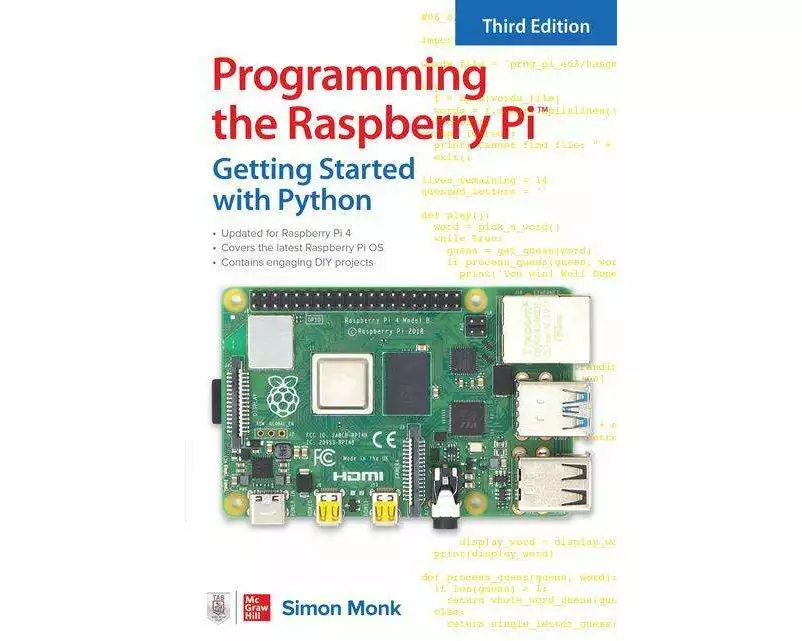
Programming the Raspberry Pi, Third Edition: Getting Started with Python
von Simon Monk
- Verlag
- McGraw-Hill Education
- Unsere Artikel-Nr.
- EDW9RYD
Beschreibung
An up-to-date guide to creating your own fun and useful Raspberry Pi(TM) programs This fully updated guide shows how to create inventive programs and fun games on your powerful Raspberry Pi-with no programming experience required. Programming the Raspberry Pi(TM): Getting Started with Python, Third Edition addresses physical changes and new setup procedures as well as OS updates to the current version 4. You will discover how to configure hardware and software, write Python scripts, create user-friendly GUIs, and control external electronics. Step-by-step projects include a digital clock prototype and a fully functioning Raspberry Pi robot. Configure your Raspberry Pi and explore its features. Start writing and debugging Python programs. Use strings, lists, functions, and dictionaries. Work with modules, classes, and methods. Apply object-oriented development methods. Create user-friendly games using Pygame. Build intuitive user interfaces with guizero. Interface with hardware using the gpiozero library. Attach external electronics through the GPIO port. Add powerful Web features to your projects.
Spezifikationen
| Sprache | Englisch |
|---|---|
| Autor | Simon Monk |
| Thema | Belletristik: Allgemein |
| Auflage | 3 |
| Erscheinungsjahr | 2021 |
| Format | Buch (Softcover) |
| Anzahl Seiten | 192 |
Inhaltsverzeichnis
"Preface
Introduction
1 Introduction
\u00a0\u00a0\u00a0What Is the Raspberry Pi?
\u00a0\u00a0\u00a0What Can You Do with a Raspberry Pi?
\u00a0\u00a0\u00a0A Tour of the Raspberry Pi
\u00a0\u00a0\u00a0Setting Up Your Raspberry Pi
\u00a0\u00a0\u00a0Booting Up
\u00a0\u00a0\u00a0Summary
2 Getting Started
\u00a0\u00a0\u00a0Linux
\u00a0\u00a0\u00a0The Desktop
\u00a0\u00a0\u00a0The Command Line
\u00a0\u00a0\u00a0Applications
\u00a0\u00a0\u00a0Internet Resources
\u00a0\u00a0\u00a0Summary
3 Python Basics
\u00a0\u00a0\u00a0Mu
\u00a0\u00a0\u00a0Numbers
\u00a0\u00a0\u00a0Variables
\u00a0\u00a0\u00a0For Loops
\u00a0\u00a0\u00a0Simulating Dice
\u00a0\u00a0\u00a0If
\u00a0\u00a0\u00a0While
\u00a0\u00a0\u00a0The Python Shell from the Terminal
\u00a0\u00a0\u00a0Summary
4 Strings, Lists, and Dictionaries
\u00a0\u00a0\u00a0String Theory
\u00a0\u00a0\u00a0Lists
\u00a0\u00a0\u00a0Functions
\u00a0\u00a0\u00a0Hangman
\u00a0\u00a0\u00a0Dictionaries
\u00a0\u00a0\u00a0Tuples
\u00a0\u00a0\u00a0Exceptions
\u00a0\u00a0\u00a0Summary of Functions
\u00a0\u00a0\u00a0Summary
5 Modules, Classes, and Methods
\u00a0\u00a0\u00a0Modules
\u00a0\u00a0\u00a0Object Orientation
\u00a0\u00a0\u00a0Defining Classes
\u00a0\u00a0\u00a0Inheritance
\u00a0\u00a0\u00a0Summary
6 Files and the Internet
\u00a0\u00a0\u00a0Files
\u00a0\u00a0\u00a0Pickling
\u00a0\u00a0\u00a0JSON
\u00a0\u00a0\u00a0Internet
\u00a0\u00a0\u00a0Summary
7 Graphical User Interfaces
\u00a0\u00a0\u00a0guizero
\u00a0\u00a0\u00a0Hello World
\u00a0\u00a0\u00a0Temperature Converter
\u00a0\u00a0\u00a0Other GUI Widgets
\u00a0\u00a0\u00a0Pop-Ups
\u00a0\u00a0\u00a0Menus
\u00a0\u00a0\u00a0Summary
8 Games Programming
\u00a0\u00a0\u00a0What Is Pygame?
\u00a0\u00a0\u00a0Coordinates
\u00a0\u00a0\u00a0Hello Pygame
\u00a0\u00a0\u00a0A Raspberry Game
\u00a0\u00a0\u00a0Summary
9 Interfacing Hardware
\u00a0\u00a0\u00a0GPIO Pin Connections
\u00a0\u00a0\u00a0Breadboarding with Jumper Wires
\u00a0\u00a0\u00a0Digital Outputs
\u00a0\u00a0\u00a0Analog Outputs
\u00a0\u00a0\u00a0Digital Inputs
\u00a0\u00a0\u00a0Analog Inputs
\u00a0\u00a0\u00a0HATs
\u00a0\u00a0\u00a0Summary
10 LED Fader Project
\u00a0\u00a0\u00a0What You Need
\u00a0\u00a0\u00a0Hardware Assembly
\u00a0\u00a0\u00a0Software
\u00a0\u00a0\u00a0Summary
11 Prototyping Project (Clock)
\u00a0\u00a0\u00a0What You Need
\u00a0\u00a0\u00a0Hardware Assembly
\u00a0\u00a0\u00a0Software
\u00a0\u00a0\u00a0Phase Two
\u00a0\u00a0\u00a0Summary
12 Raspberry Pi Robot
\u00a0\u00a0\u00a0Set Up the Raspberry Pi Zero W
\u00a0\u00a0\u00a0Web-Controlled Rover
\u00a0\u00a0\u00a0Autonomous Rover
\u00a0\u00a0\u00a0Summary
13 What Next
\u00a0\u00a0\u00a0Linux Resources
\u00a0\u00a0\u00a0Python Resources
\u00a0\u00a0\u00a0Raspberry Pi Resources
\u00a0\u00a0\u00a0Programming Languages
\u00a0\u00a0\u00a0Other Languages
\u00a0\u00a0\u00a0Applications and Projects
\u00a0\u00a0\u00a0Summary
Index
"
Bewertungen
Produkt bewertenFür dieses Produkt liegt noch keine Bewertung vor. Wenn Sie es gekauft haben, teilen Sie gerne Ihre Erfahrung.
Zahlungsarten
Rechnung (Einzahlungsschein mit QR-Code), Twint, Kreditkarte, PostFinance, Apple, Google oder Samsung Pay.
Versand
Kostenlos: Schweiz & Liechtenstein
Rückgabe
30 Tage Rückgaberecht
Sie können das Produkt innerhalb von 30 Wochentagen ohne Angabe von Gründen zurücksenden, sofern es unbeschädigt und in der Originalverpackung ist.
Weitere Hinweise finden Sie in unseren AGB unter D.1.
