
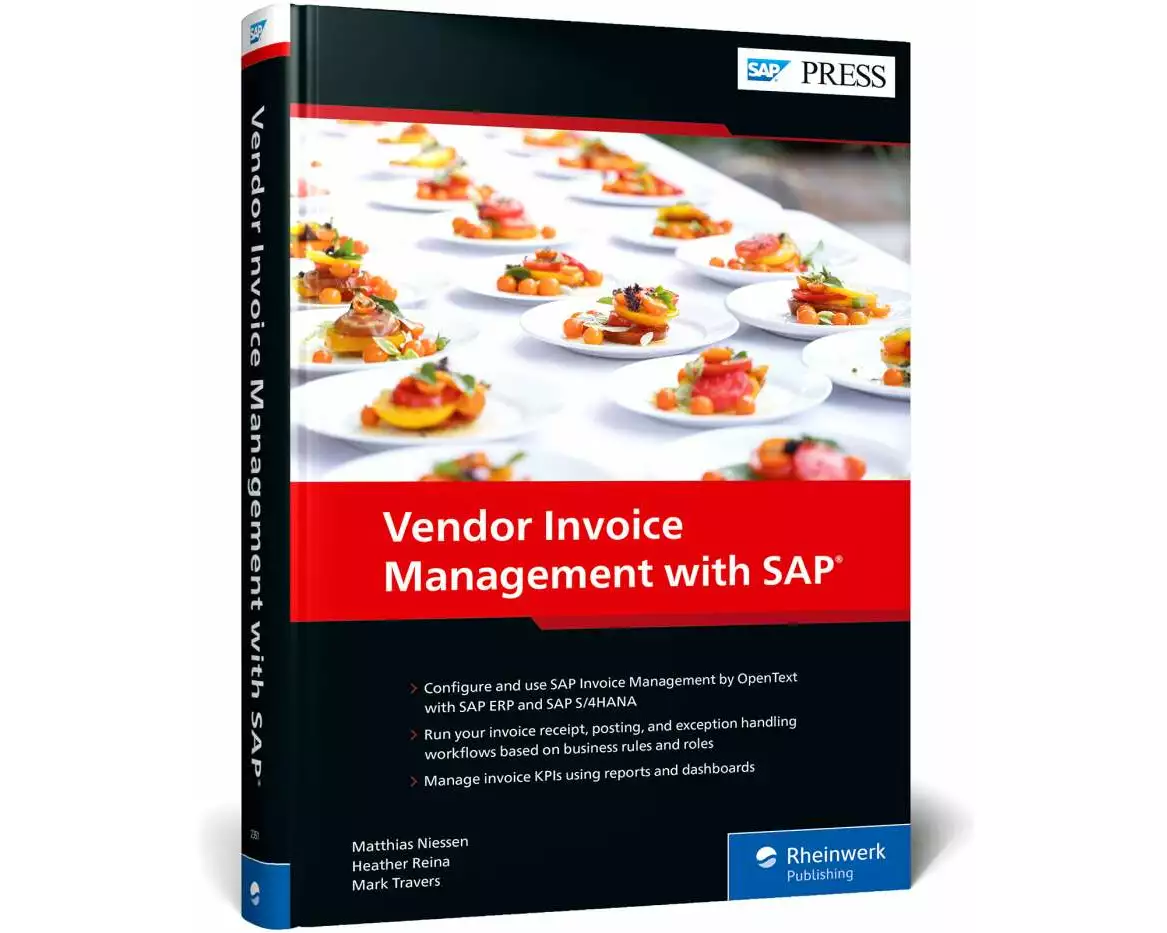
Erhältlich:Nicht auf LagerBuch (Hardcover): Fachbuch
Vendor Invoice Management with SAP
von Matthias Niessen, Heather Reina, Mark Travers
- Verlag
- Rheinwerk
- Unsere Artikel-Nr.
- 6YEYE32
Beschreibung
Reduce payment bottlenecks with SAP Invoice Management by OpenText. Get step-by-step instructions for setting up this vendor invoice management (VIM) application to work with both SAP ERP and SAP S/4HANA. Then see how to run your key VIM processes with machine learning: invoice receipt, verification, exception handling, approvals, and more. From preparing for an implementation project to modifying the user experience, this practical guide takes you through the entire process. Make troublesome invoices a thing of the past. a. ConfigurationLearn how to set up SAP Invoice Management, step by step. Walk through creating business rules, building custom roles, defining actions, and other key configuration steps. b. FunctionalityRun your VIM processes. See what SAP Invoice Management can automate, including data enrichment and task assignment. Then get instructions for your manual tasks: resolving exceptions, parking invoices, approvals, and more. c. ReportingImprove visibility into invoice status and operational resource expenditure, and collect data for process improvement. Explore data visualization tools and see how add-ons help meet compliance requirements.
Spezifikationen
| Sprache | Englisch |
|---|---|
| Autor | Matthias Niessen, Heather Reina, Mark Travers |
| Thema | PC/Internet: Unternehmensanwendungen |
| Kollektion | SAP PRESS Englisch |
| Auflage | 1 |
| Erscheinungsjahr | 2023 |
| Erscheinungsland | Deutschland |
| Format | Buch (Hardcover) |
| Anzahl Seiten | 446 |
Inhaltsverzeichnis
... Introduction ... 15
... The Synergies of Digital Transformation ... 15
... The Modernization of Accounts Payable ... 18
... The Bigger Picture ... 21
1 ... Getting Started with SAP Invoice Management ... 25
1.1 ... Basic Concepts ... 26
1.2 ... Packaging and Installation ... 36
1.3 ... Deployment Options ... 41
1.4 ... Summary ... 45
2 ... Automating Invoice Receipt ... 47
2.1 ... Basic Concepts ... 48
2.2 ... Configuring Archiving ... 53
2.3 ... Configuring Invoice Receipt ... 70
2.4 ... Converting Invoices ... 87
2.5 ... Connecting Inbound Channels to Invoice Processing ... 122
2.6 ... Summary ... 124
3 ... Enriching Invoice Data with Machine Learning ... 127
3.1 ... Basic Concepts ... 128
3.2 ... Configuring a Determination Logic ... 134
3.3 ... Generic Enrichments ... 136
3.4 ... Purchase Order Invoice Enrichments ... 140
3.5 ... Non-Purchase Order Invoice Enrichments ... 151
3.6 ... Summary ... 159
4 ... Checking Invoices with Business Rules ... 161
4.1 ... Aspects of Business Rules ... 162
4.2 ... Determining Process Types ... 164
4.3 ... Assigning Business Rules to Process Types ... 167
4.4 ... Creating Custom Rules ... 169
4.5 ... Auditing Invoices ... 174
4.6 ... Duplicate Checking ... 176
4.7 ... Leveraging the Business Rules Framework ... 179
4.8 ... Summary ... 186
5 ... Assigning Tasks through Business Roles ... 187
5.1 ... SAP Invoice Management Role-Based Framework ... 187
5.2 ... Baseline Roles in SAP Invoice Management ... 190
5.3 ... Configuring Roles ... 197
5.4 ... Creating Custom Roles ... 205
5.5 ... Testing Business Roles ... 207
5.6 ... Best Practices for Role Design and Implementation ... 208
5.7 ... Summary ... 209
6 ... Resolving Exceptions ... 211
6.1 ... Anatomy of an Action ... 211
6.2 ... Creating Custom Actions ... 215
6.3 ... Assigning Actions to Business Rules ... 224
6.4 ... Summary ... 227
7 ... Posting and Parking Invoices ... 229
7.1 ... Finalizing an Auto-Posting Invoice ... 230
7.2 ... Managing Blocking Workflows ... 235
7.3 ... Working with Parked Invoices ... 240
7.4 ... Summary ... 245
8 ... Approving Invoices without Purchase Orders ... 247
8.1 ... Defining Approval Strategies ... 247
8.2 ... Level-Based Approvals ... 249
8.3 ... Approval Flow Settings ... 250
8.4 ... Configuring Responsibilities via the Chart of Authority ... 257
8.5 ... Document Processing: Parked and Posted Approvals ... 268
8.6 ... Summary ... 275
9 ... Designing Your Invoice Management System ... 277
9.1 ... Configuring the Basic Settings for a Document Type ... 277
9.2 ... Considering Regional Variants ... 282
9.3 ... Determining the Document Type ... 286
9.4 ... Setting Up Users, Roles, Priorities, and Authorizations ... 289
9.5 ... Setting Up Notifications ... 291
9.6 ... Setting Up the Return to Vendor Function ... 293
9.7 ... Implementing Test Strategies ... 295
9.8 ... Summary ... 297
10 ... Reporting and Compliance ... 299
10.1 ... Basic Data Collection ... 300
10.2 ... Central Reports ... 305
10.3 ... Reports for Real-Time Invoice Status ... 313
10.4 ... Reports for Invoice Lifecycle ... 325
10.5 ... Visualizing Report Data ... 328
10.6 ... Meeting Compliance Requirements ... 331
10.7 ... Summary ... 335
11 ... Maximizing the User Experience ... 337
11.1 ... User Interfaces ... 338
11.2 ... Document Processing Dashboard ... 339
11.3 ... Approval Dashboard ... 346
11.4 ... Invoice Exception Dashboard ... 354
11.5 ... SAP Fiori Applications ... 358
11.6 ... Configuring and Maintaining SAP Fiori Task App Perspectives ... 369
11.7 ... Summary ... 375
12 ... Managing Complex Infrastructures ... 377
12.1 ... Considering Your Integration Architecture ... 377
12.2 ... Configuring the System Landscape Directory ... 379
12.3 ... Working across Multiple Systems ... 384
12.4 ... Centralizing Reporting ... 386
12.5 ... Integration with Central Finance ... 389
12.6 ... Working with External Procurement Solutions ... 390
12.7 ... Summary ... 397
13 ... Preparing for an SAP Invoice Management Project ... 399
13.1 ... Selecting the Project Methodology for an SAP Invoice Management Deployment ... 400
13.2 ... Designing a Training Strategy ... 422
13.3 ... Accessing Product Documentation ... 428
13.4 ... Summary ... 432
... Conclusion ... 433
... The Authors ... 437
... Index ... 439
... The Synergies of Digital Transformation ... 15
... The Modernization of Accounts Payable ... 18
... The Bigger Picture ... 21
1 ... Getting Started with SAP Invoice Management ... 25
1.1 ... Basic Concepts ... 26
1.2 ... Packaging and Installation ... 36
1.3 ... Deployment Options ... 41
1.4 ... Summary ... 45
2 ... Automating Invoice Receipt ... 47
2.1 ... Basic Concepts ... 48
2.2 ... Configuring Archiving ... 53
2.3 ... Configuring Invoice Receipt ... 70
2.4 ... Converting Invoices ... 87
2.5 ... Connecting Inbound Channels to Invoice Processing ... 122
2.6 ... Summary ... 124
3 ... Enriching Invoice Data with Machine Learning ... 127
3.1 ... Basic Concepts ... 128
3.2 ... Configuring a Determination Logic ... 134
3.3 ... Generic Enrichments ... 136
3.4 ... Purchase Order Invoice Enrichments ... 140
3.5 ... Non-Purchase Order Invoice Enrichments ... 151
3.6 ... Summary ... 159
4 ... Checking Invoices with Business Rules ... 161
4.1 ... Aspects of Business Rules ... 162
4.2 ... Determining Process Types ... 164
4.3 ... Assigning Business Rules to Process Types ... 167
4.4 ... Creating Custom Rules ... 169
4.5 ... Auditing Invoices ... 174
4.6 ... Duplicate Checking ... 176
4.7 ... Leveraging the Business Rules Framework ... 179
4.8 ... Summary ... 186
5 ... Assigning Tasks through Business Roles ... 187
5.1 ... SAP Invoice Management Role-Based Framework ... 187
5.2 ... Baseline Roles in SAP Invoice Management ... 190
5.3 ... Configuring Roles ... 197
5.4 ... Creating Custom Roles ... 205
5.5 ... Testing Business Roles ... 207
5.6 ... Best Practices for Role Design and Implementation ... 208
5.7 ... Summary ... 209
6 ... Resolving Exceptions ... 211
6.1 ... Anatomy of an Action ... 211
6.2 ... Creating Custom Actions ... 215
6.3 ... Assigning Actions to Business Rules ... 224
6.4 ... Summary ... 227
7 ... Posting and Parking Invoices ... 229
7.1 ... Finalizing an Auto-Posting Invoice ... 230
7.2 ... Managing Blocking Workflows ... 235
7.3 ... Working with Parked Invoices ... 240
7.4 ... Summary ... 245
8 ... Approving Invoices without Purchase Orders ... 247
8.1 ... Defining Approval Strategies ... 247
8.2 ... Level-Based Approvals ... 249
8.3 ... Approval Flow Settings ... 250
8.4 ... Configuring Responsibilities via the Chart of Authority ... 257
8.5 ... Document Processing: Parked and Posted Approvals ... 268
8.6 ... Summary ... 275
9 ... Designing Your Invoice Management System ... 277
9.1 ... Configuring the Basic Settings for a Document Type ... 277
9.2 ... Considering Regional Variants ... 282
9.3 ... Determining the Document Type ... 286
9.4 ... Setting Up Users, Roles, Priorities, and Authorizations ... 289
9.5 ... Setting Up Notifications ... 291
9.6 ... Setting Up the Return to Vendor Function ... 293
9.7 ... Implementing Test Strategies ... 295
9.8 ... Summary ... 297
10 ... Reporting and Compliance ... 299
10.1 ... Basic Data Collection ... 300
10.2 ... Central Reports ... 305
10.3 ... Reports for Real-Time Invoice Status ... 313
10.4 ... Reports for Invoice Lifecycle ... 325
10.5 ... Visualizing Report Data ... 328
10.6 ... Meeting Compliance Requirements ... 331
10.7 ... Summary ... 335
11 ... Maximizing the User Experience ... 337
11.1 ... User Interfaces ... 338
11.2 ... Document Processing Dashboard ... 339
11.3 ... Approval Dashboard ... 346
11.4 ... Invoice Exception Dashboard ... 354
11.5 ... SAP Fiori Applications ... 358
11.6 ... Configuring and Maintaining SAP Fiori Task App Perspectives ... 369
11.7 ... Summary ... 375
12 ... Managing Complex Infrastructures ... 377
12.1 ... Considering Your Integration Architecture ... 377
12.2 ... Configuring the System Landscape Directory ... 379
12.3 ... Working across Multiple Systems ... 384
12.4 ... Centralizing Reporting ... 386
12.5 ... Integration with Central Finance ... 389
12.6 ... Working with External Procurement Solutions ... 390
12.7 ... Summary ... 397
13 ... Preparing for an SAP Invoice Management Project ... 399
13.1 ... Selecting the Project Methodology for an SAP Invoice Management Deployment ... 400
13.2 ... Designing a Training Strategy ... 422
13.3 ... Accessing Product Documentation ... 428
13.4 ... Summary ... 432
... Conclusion ... 433
... The Authors ... 437
... Index ... 439
Bewertungen
Produkt bewertenFür dieses Produkt liegt noch keine Bewertung vor. Wenn Sie es gekauft haben, teilen Sie gerne Ihre Erfahrung.
Zahlungsarten


Rechnung (Einzahlungsschein mit QR-Code), Twint, Kreditkarte, PostFinance, Apple, Google oder Samsung Pay.
Versand
Kostenlos: Schweiz & Liechtenstein
Rückgabe
Kein Rückgaberecht
Bei diesem Produkt hat entweder der Hersteller/Verlag das Rückgaberecht ausgeschlossen oder eine Rückgabe ist aufgrund des Vertriebssystems nicht möglich.