
Erhältlich:Nicht auf LagerBuch (Softcover): Fachbuch
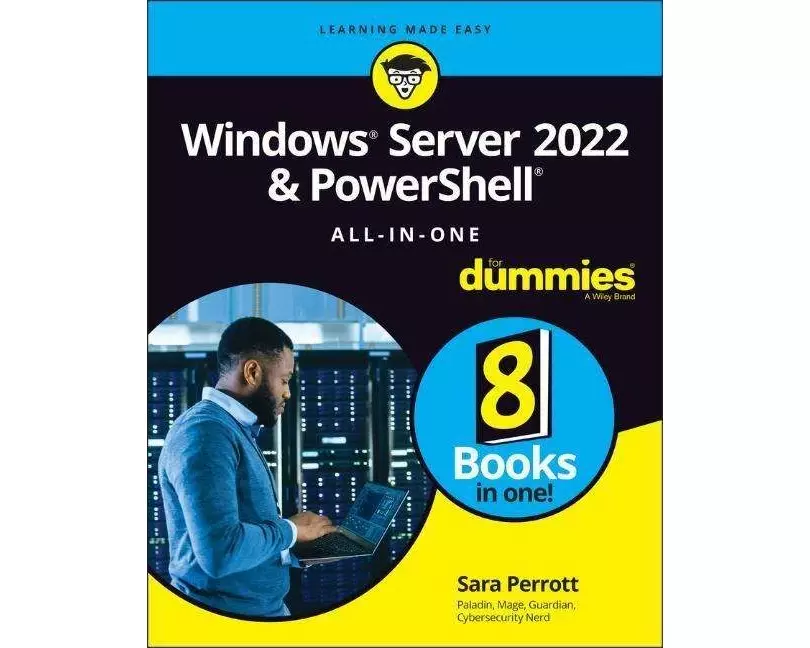
Windows Server 2022 & Powershell All-in-One For Dummies
von Sara Perrott
- Verlag
- John Wiley & Sons
- EAN
- 9781119867821
- Unsere Artikel-Nr.
- R5RL425
Beschreibung
Your guidebook to Windows(r) Server 2022 It takes a lot of technology know-how to become a network administrator. It never hurts to have a little help when questions come up and you don't have the answers memorized. This book serves as your handy assistant for getting your Windows(r) Server 2022 network running and keeping it humming along. Peek inside for help in installing, configuring, securing, and operating a Windows network. It's an ideal reference for those new to Windows Server, as well as old pros looking for a little help. 8 Books In 1. Installing and Setting Up Windows(r) Server 2022 Configuring Windows(r) Server 2022 Administering Windows(r) Server 2022 Configuring Networking in Windows(r) Server 2022 Managing Security with Windows(r) Server 2022 Working with Windows(r) PowerShell Installing and Administering Hyper-V(r) Installing, Configuring, and Using Containers
Spezifikationen
| Sprache | Englisch |
|---|---|
| Autor | Sara Perrott |
| Thema | Informatik: Netzwerke & Kommunikation |
| Auflage | 1 |
| Erscheinungsjahr | 2022 |
| Format | Buch (Softcover) |
| Anzahl Seiten | 784 |
Inhaltsverzeichnis
"Introduction 1\n\nBook 1: Installing and Setting Up Windows Server 2022 5\n\nChapter 1: An Overview of Windows Server 2022 7\n\nChapter 2: Using Boot Diagnostics 19\n\nChapter 3: Performing the Basic Installation 33\n\nChapter 4: Performing Initial Configuration Tasks 45\n\nBook 2: Configuring Windows Server 2022 73\n\nChapter 1: Configuring Server Roles and Features 75\n\nChapter 2: Configuring Server Hardware 103\n\nChapter 3: Using the Settings Menu 145\n\nChapter 4: Working with Workgroups 155\n\nChapter 5: Promoting Your Server to Domain Controller 171\n\nChapter 6: Managing DNS and DHCP with IP Address Management 203\n\nBook 3: Administering Windows Server 2022 217\n\nChapter 1: An Overview of the Tools Menu in Server Manager 219\n\nChapter 2: Setting Group Policy 233\n\nChapter 3: Configuring the Registry 247\n\nChapter 4: Working with Active Directory 263\n\nChapter 5: Performing Standard Maintenance 279\n\nChapter 6: Working at the Command Line 313\n\nChapter 7: Working with PowerShell 325\n\nBook 4: Configuring Networking In Windows Server 2022 339\n\nChapter 1: Overview of Windows Server 2022 Networking\n\nChapter 2: Performing Basic Network Tasks 359\n\nChapter 3: Accomplishing Advanced Network Tasks 371\n\nChapter 4: Diagnosing and Repairing Network Connection Problems 389\n\nBook 5: Managing Security With Windows Server 2022 401\n\nChapter 1: Understanding Windows Server 2022 Security 403\n\nChapter 2: Configuring Shared Resources 419\n\nChapter 3: Configuring Operating System Security 439\n\nChapter 4: Working with the Internet 457\n\nChapter 5: Understanding Digital Certificates 471\n\nChapter 6: Installing and Configuring AD CS 479\n\nChapter 7: Securing Your DNS Infrastructure 499\n\nBook 6: Working With Windows Powershell 513\n\nChapter 1: Introducing PowerShell 515\n\nChapter 2: Understanding the NET Framework 547\n\nChapter 3: Working with Scripts and Cmdlets 555\n\nChapter 4: Creating Your Own Scripts and Advanced Functions 565\n\nChapter 5: PowerShell Desired State Configuration 581\n\nBook 7: Installing and Administering Hyper-V 593\n\nChapter 1: What Is Hyper-V? 595\n\nChapter 2: Virtual Machines 607\n\nChapter 3: Virtual Networking 619\n\nChapter 4: Virtual Storage 637\n\nChapter 5: High Availability in Hyper-V 651\n\nBook 8: Installing, Configuring, and Using Containers 667\n\nChapter 1: Introduction to Containers in Windows Server 2022 669\n\nChapter 2: Docker and Docker Hub 675\n\nChapter 3: Installing Containers on Windows Server 2022 685\n\nChapter 4: Configuring Docker and Containers on Windows Server 2022 695\n\nChapter 5: Managing Container Images 705\n\nChapter 6: Container Networking 715\n\nChapter 7: Container Storage 725\n\nIndex 733"
Bewertungen
Produkt bewertenFür dieses Produkt liegt noch keine Bewertung vor. Wenn Sie es gekauft haben, teilen Sie gerne Ihre Erfahrung.
Zahlungsarten


Rechnung (Einzahlungsschein mit QR-Code), Twint, Kreditkarte, PostFinance, Apple, Google oder Samsung Pay.
Versand
Kostenlos: Schweiz & Liechtenstein
Rückgabe
30 Tage Rückgaberecht
Sie können das Produkt innerhalb von 30 Wochentagen ohne Angabe von Gründen zurücksenden, sofern es unbeschädigt und in der Originalverpackung ist.
Weitere Hinweise finden Sie in unseren AGB unter D.1.